
Watch the folders you use
Set frequently used save locations such as Downloads, Desktop, and project folders.
toolitda / Hangul Bond for Mac
Hangul Bond watches folders on macOS and automatically fixes separated Korean Hangul filenames before you share files.
A Mac app that watches folders and automatically fixes separated Korean Hangul filenames.
Korean filenames created on macOS can look normal on your Mac but appear as separated jamo on Windows, email, or messengers. Hangul Bond watches the folders where files are created most often and automatically joins separated Korean filenames back into readable Hangul.
Choose folders once, then keep working as usual. The app waits briefly after a file is saved, fixes the name, and records the result in a simple log.
Set frequently used save locations such as Downloads, Desktop, and project folders.
When separated Korean jamo appears, Hangul Bond quietly joins it back into readable Hangul.
Reduce filename issues before sharing files through email, messengers, and Windows environments.
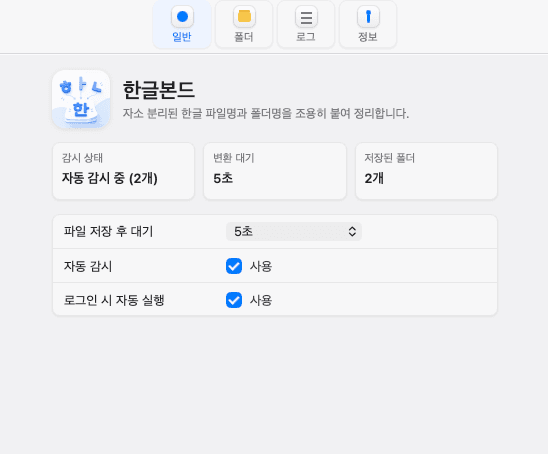
Auto watch status
Check watched folders and the delay before cleanup.
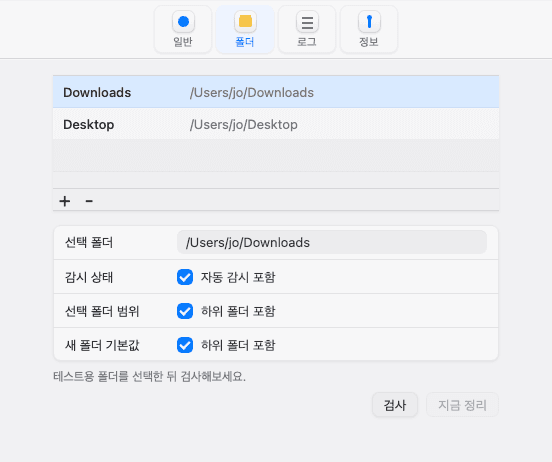
Choose watched folders
Select Downloads, Desktop, or project folders you use often.
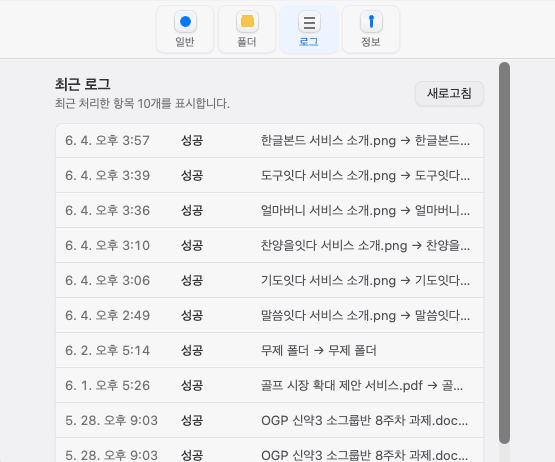
Review cleanup logs
See which filenames were fixed in the recent log list.